
How To Generate And Promote Affiliate Links
You have registered as a Seller Africa affiliate—now the real work begins. The key to earning your first commission lies in mastering how to generate your unique link.
Your affiliate link is your personal sales tracker; without it, you can’t get paid. This guide breaks down the simple process of navigating the Seller Africa affiliate marketplace to “Get Affiliate Link” for your chosen products.
1. Generating Affiliate Links:
Option 1:
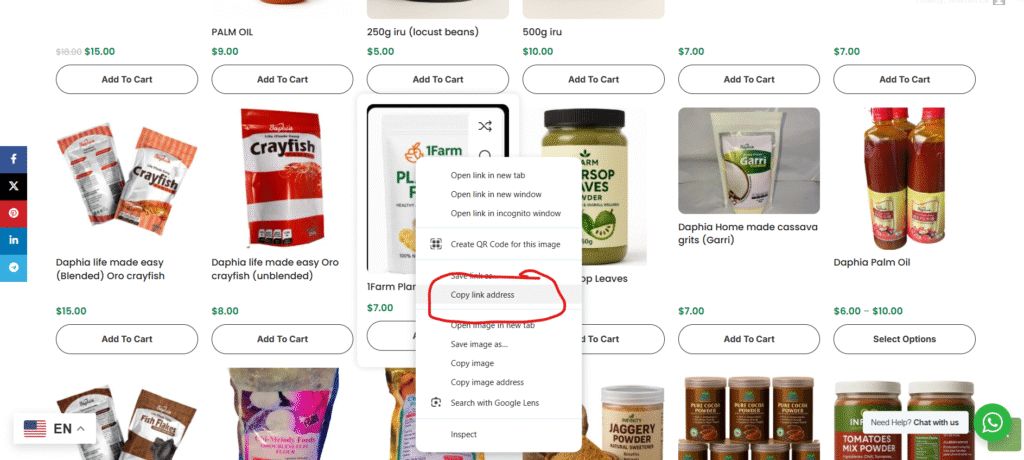
A. Go to seller Africa homepage and copy any product link you would like to promote- right click to see copy option on PC, on mobile press & hold.
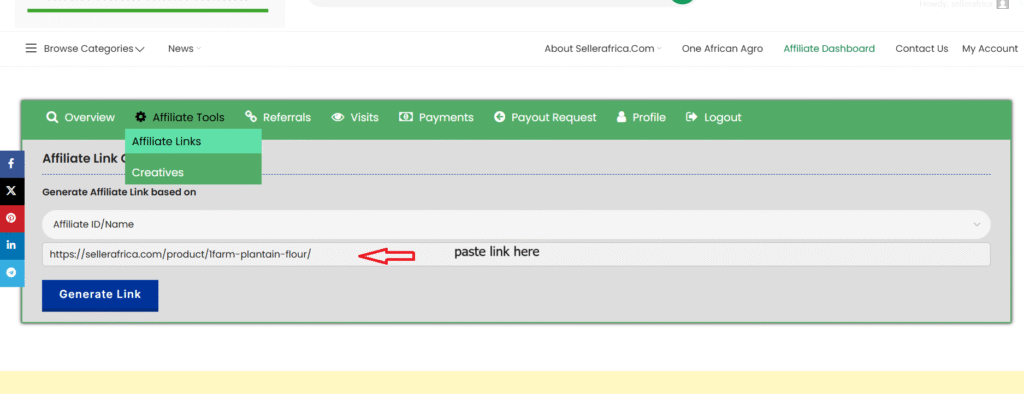
B. On your affiliate dashboard, go to Affiliate Tools >> Affiliate Links, paste the product link you copied under ‘affiliate link’ field and click “Generate Link”
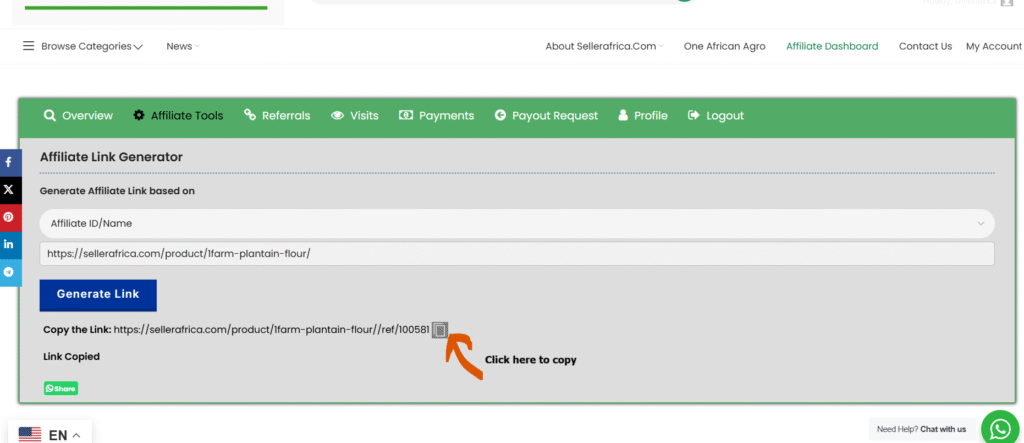
C. Your affiliate link will be generated and ready for promotion.
You can also generate as many links as possible using the above method.
Option 2:
A. On your affiliate dashboard, go to Affiliate Tools >> Affiliate Links, click on affiliate ID/Name and select “Product Name”
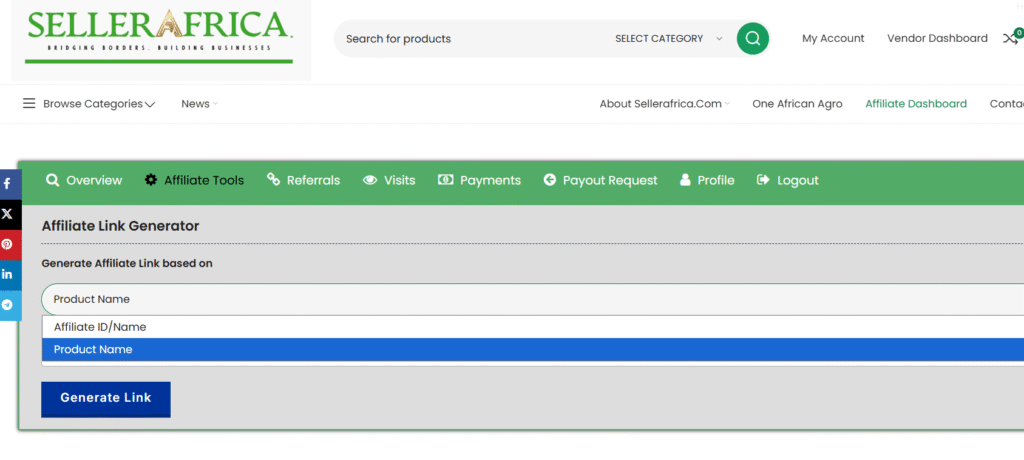
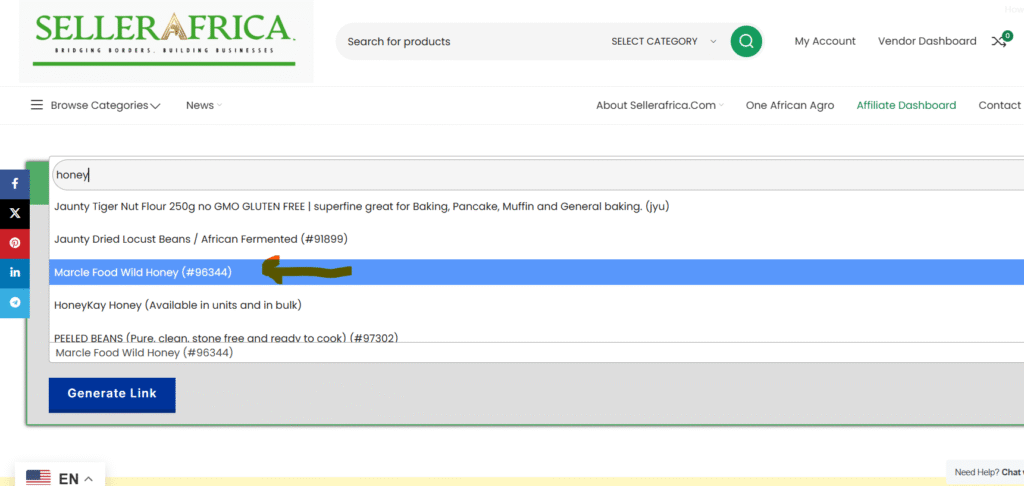
B. Click on ‘Search a Product’ and search for any product you will like to promote. E.g., if you search for “honey” it will bring out all the honey products available for promotion.
From the list just click on any of the them like “Marcle Food Wild Honey (96344)”
C. Click “Generate Link” to generate a unique link for“Marcle Food Wild Honey (96344)”.
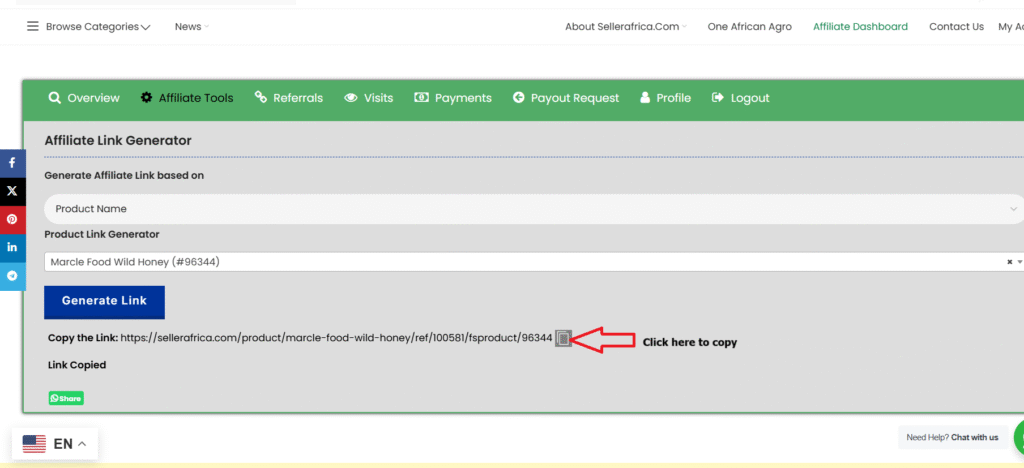
D. Start Promoting: Share your affiliate links on your website or social media platforms to start earning commissions.