

Setting up Your Affiliate Account
Embarking on your affiliate marketing journey with Seller Africa is an exciting step toward earning passive income!
You have completed the initial registration, but to start promoting products and receiving commissions, there are a few crucial post-registration steps.
This guide will walk you through the essential steps, from accessing your personalized dashboard to setting up your payment details, so you can transition from a registered user to an active, earning Seller Africa affiliate marketer with confidence and ease.
1. Access Your Affiliate Dashboard: Log into your account using the credentials you provided to access your affiliate dashboard.
From Seller Africa homepage click on “affiliate dashboard”
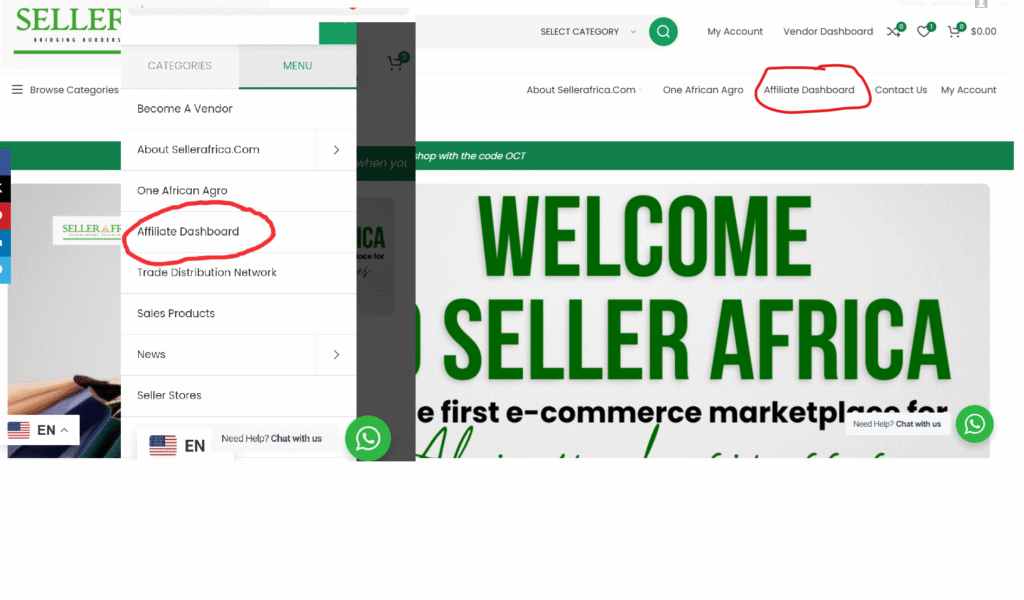
2. Provide Payment Information: The first notification you will see after registration is to select payment method.
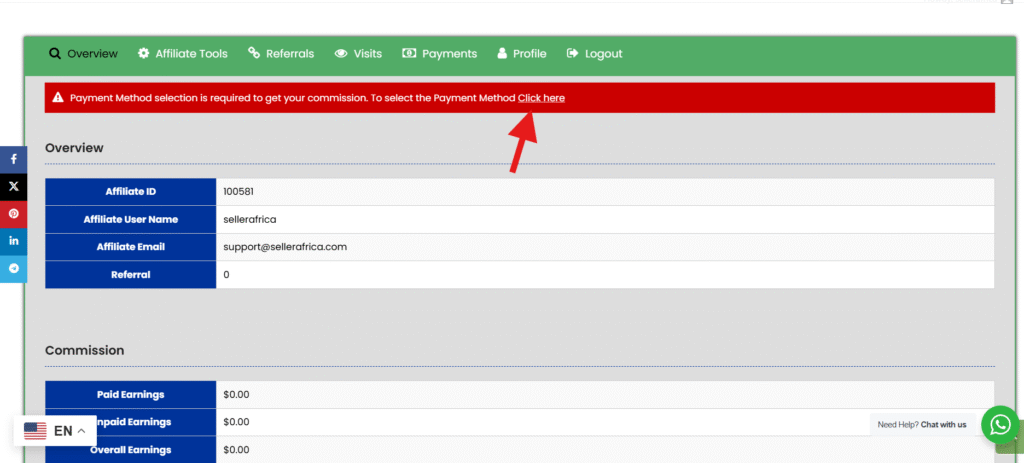
Enter the necessary payment information for receiving commissions. This must include – (Account Number, Account Name, Bank Name, Swift Code).
Then click Save changes
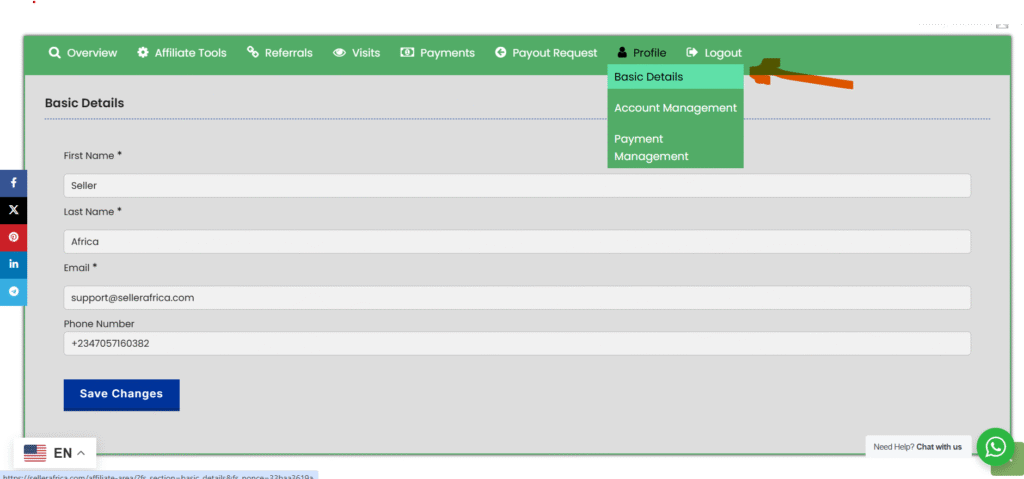
3. Go to Profile >> Basic Details and make sure your basic information are complete and correct
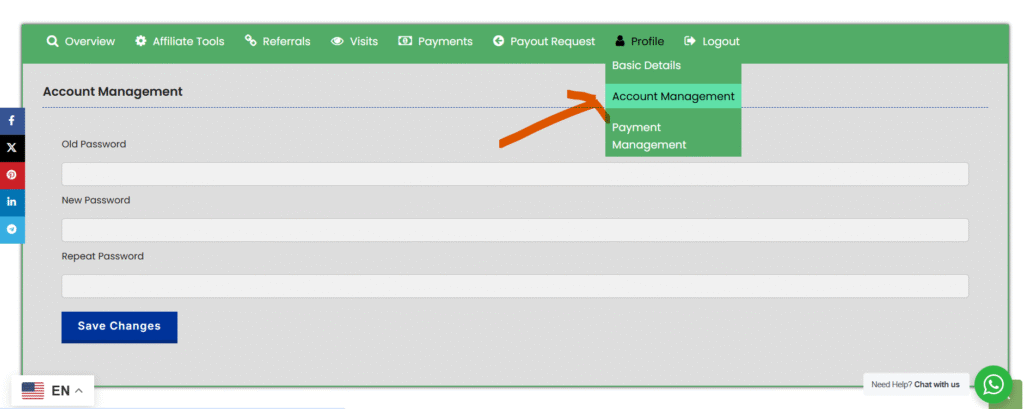
4. Under Profile >> Account management you can change your affiliate account password.
Your Seller Africa Affiliate is fully setup and ready for earning!